12345678910111213141516171819202122232425262728293031323334353637383940414243444546474849505152535455565758596061626364656667686970 |
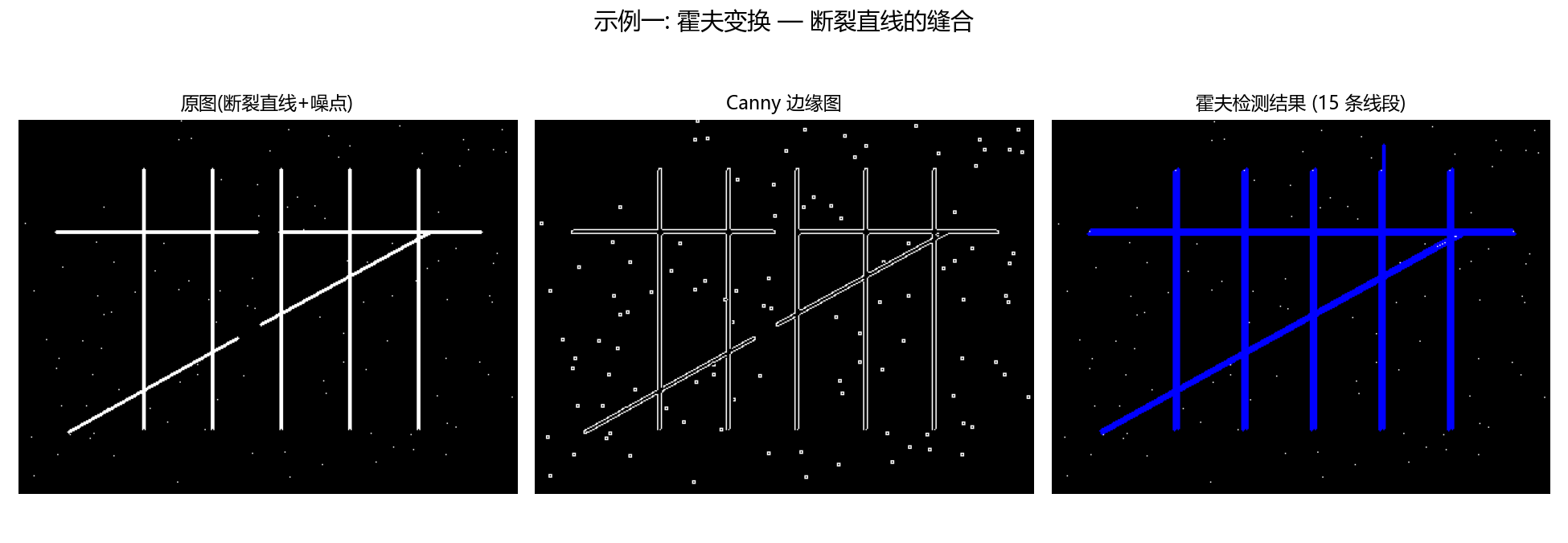
"""演示1: 霍夫变换检测断裂直线。

生成一张"断成几截"的直线图像, 用 cv2.HoughLinesP 把断裂的直线重新连接起来,
输出 原图 | 边缘图 | 检测结果 三栏对比图。
"""
import os
import cv2
import numpy as np
import matplotlib.pyplot as plt
from figure_style import figures_dir, configure

configure()

OUT = figures_dir()
os.makedirs(OUT, exist_ok=True)

H, W = 300, 400
img = np.zeros((H, W), dtype=np.uint8)


def draw_broken_line(im, p1, p2, gap, thickness=2):
    """把一条线段分成两段, 中间留 gap 像素的缺口。"""
    v = np.array(p2) - np.array(p1)
    L = np.linalg.norm(v)
    u = v / L
    a = np.array(p1)
    b = np.array(p2)
    cv2.line(im, tuple(a.astype(int)), tuple((a + u * (L / 2 - gap / 2)).astype(int)), 255, thickness)
    cv2.line(im, tuple((a + u * (L / 2 + gap / 2)).astype(int)), tuple(b.astype(int)), 255, thickness)


# 三条故意打断的直线: 一条水平、一条 45 度、一条垂直(带多个缺口)
draw_broken_line(img, (30, 90), (370, 90), gap=18, thickness=2)      # 水平断线
draw_broken_line(img, (40, 250), (330, 90), gap=22, thickness=2)     # 斜断线
for x in range(100, 360, 55):                                        # 垂直多缺口线
    cv2.line(img, (x, 40), (x, 250), 255, 2)
    cv2.line(img, (x, 250), (x, 260), 0, 3)  # 制造小缺口

# 加少量椒盐噪声, 模拟扫描噪点
rng = np.random.default_rng(0)
noise = rng.random((H, W)) > 0.999
img[noise] = 255

# Canny 边缘
edges = cv2.Canny(img, 50, 150, apertureSize=3)

# 概率霍夫变换检测线段
lines = cv2.HoughLinesP(edges, rho=1, theta=np.pi / 180, threshold=50,
                        minLineLength=40, maxLineGap=25)

res = cv2.cvtColor(img, cv2.COLOR_GRAY2BGR)
n = 0
if lines is not None:
    for line in lines.reshape(-1, 4):   # 兼容 OpenCV 4 (N,1,4) 与 5 (N,4)
        x1, y1, x2, y2 = line
        cv2.line(res, (int(x1), int(y1)), (int(x2), int(y2)), (0, 0, 255), 2)
        n += 1

fig, axes = plt.subplots(1, 3, figsize=(13, 4.5))
for ax, im, title in zip(axes, (img, edges, res),
                         ("原图(断裂直线+噪点)", "Canny 边缘图", f"霍夫检测结果 ({n} 条线段)")):
    ax.imshow(im, cmap="gray")
    ax.set_title(title, fontsize=11)
    ax.axis("off")
fig.suptitle("示例一: 霍夫变换 — 断裂直线的缝合", fontsize=14)
fig.tight_layout(rect=(0, 0, 1, 0.95))
out_path = os.path.join(OUT, "fig_hough_lines.png")
fig.savefig(out_path, dpi=150)
print(f"检测到 {n} 条线段 -> {out_path}")
|