1234567891011121314151617181920212223242526272829303132333435363738394041424344 |
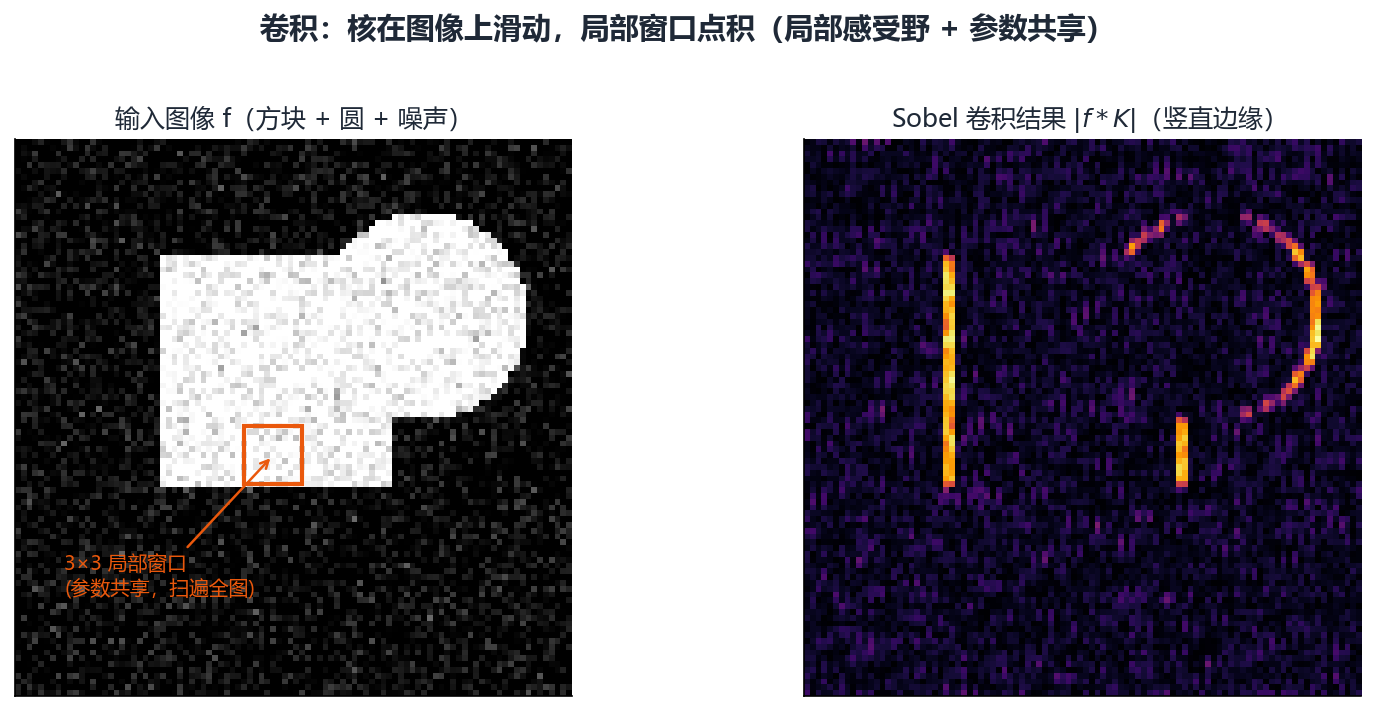
"""演示16: 卷积 — 视觉特征的"扫描器"。

用几个经典卷积核(Sobel 边缘、高斯模糊、锐化)对合成棋盘/数字图做卷积,
可视化"核与局部窗口的点积"如何提取特征。
"""
import os
import numpy as np
import matplotlib.pyplot as plt
import cv2
from figure_style import figures_dir, configure

configure()

OUT = figures_dir()
os.makedirs(OUT, exist_ok=True)

# 合成测试图: 棋盘 + 一个方块 + 一个圆
img = np.zeros((200, 200), dtype=np.uint8)
img[::20, :] = 255; img[:, ::20] = 255          # 网格线
img[40:90, 130:170] = 255                       # 方块
cv2.circle(img, (80, 80), 25, 255, -1)          # 圆
img = cv2.GaussianBlur(img, (0, 0), 1.2)        # 平滑, 像真实图

# 经典卷积核
kernels = {
    "Sobel X (竖直边缘)": np.array([[-1, 0, 1], [-2, 0, 2], [-1, 0, 1]]),
    "Sobel Y (水平边缘)": np.array([[-1, -2, -1], [0, 0, 0], [1, 2, 1]]),
    "高斯模糊 3x3": np.array([[1, 2, 1], [2, 4, 2], [1, 2, 1]]) / 16,
    "锐化": np.array([[0, -1, 0], [-1, 5, -1], [0, -1, 0]]),
}

fig, axes = plt.subplots(2, 3, figsize=(11, 7))
axes[0, 0].imshow(img, cmap="gray"); axes[0, 0].set_title("原图"); axes[0, 0].axis("off")
for (name, k), ax in zip(kernels.items(), axes.flat[1:]):
    out = cv2.filter2D(img, -1, k)
    ax.imshow(out, cmap="gray")
    ax.set_title(f"{name}\n核=\n{k.astype(str)}", fontsize=8)
    ax.axis("off")
fig.suptitle("卷积原理: 局部窗口逐点积扫描, 提取边缘/模糊/锐化特征", fontsize=14)
fig.tight_layout(rect=(0, 0, 1, 0.95))
out = os.path.join(OUT, "fig_ai_cnn.png")
fig.savefig(out, dpi=150)
print(f"-> {out}")
|